
ClipMD
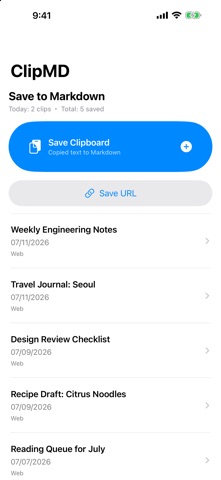
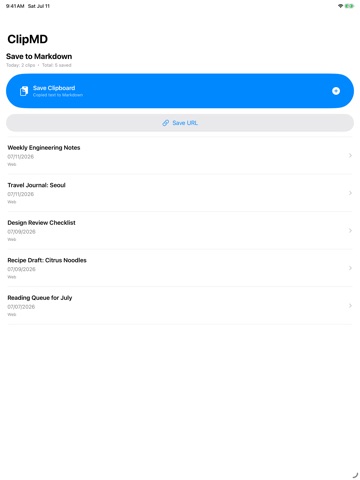
ClipMD turns web pages and copied text into clean Markdown clips you keep on your device.
Overview
ClipMD turns web pages and copied text into clean Markdown clips you keep on your device.
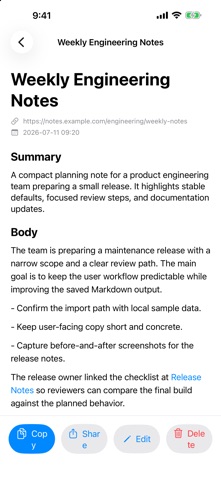
Paste a URL or share a page to ClipMD, and it extracts the article body and converts it to Markdown - headings, lists, and links included. Copy the result into your notes app, or keep it in ClipMD as a reading archive.
Who It Is For
- People looking for a simple productivity app for one focused task
- Users who prefer lightweight tools over complex all-in-one apps
- iPhone users who want an official source before installing from the App Store
Main Features
- ClipMD turns web pages and copied text into clean Markdown clips you keep on your device.
- Paste a URL or share a page to ClipMD, and it extracts the article body and converts it to Markdown - headings...
- Copy the result into your notes app, or keep it in ClipMD as a reading archive.
- Features: - Convert web pages to Markdown by URL or from the share sheet - Convert copied text in one tap - Clean...
How to Use
- Install ClipMD from the App Store.
- Open the app and complete the first screen or setup shown in the app.
- Use the main action whenever the task comes up.
- Return to the app when you want to review, adjust, or repeat the task.
Pricing
Free
Privacy
This page uses App Store metadata as its source. For the current Apple privacy labels and regional availability, check the linked App Store product page.
Screenshots


FAQ
What is ClipMD for?
ClipMD is a focused iPhone app from ZEC Inc. The page above summarizes its purpose, intended users, and basic usage.
Where can I download ClipMD?
You can download ClipMD from its official App Store page linked on this page.
How much does ClipMD cost?
The App Store currently reports the price as Free. App Store pricing and availability may vary by country or change over time.
Where can I check privacy information?
The App Store product page contains Apple's current privacy labels and related disclosure information for this app.